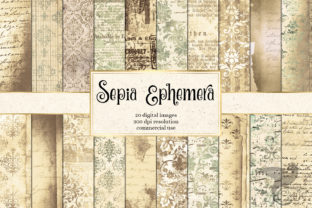
Sepia Ephemera Digital Paper: Quietly Powerful for Real Work and Real Life
Imagine opening a new digital notebook — not sleek and minimalist, but warm, textured, softly aged. A faint paper grain under your stylus, subtle deckle edges, the gentle warmth of sepia tones instead of sterile white. That’s Sepia Ephemera Digital Paper: not just another background or overlay, but a thoughtfully designed digital surface built for focus, authenticity, and tactile resonance in an overwhelmingly synthetic digital world.
What It Actually Is (and What It’s Not)
Sepia Ephemera Digital Paper is a set of high-resolution, printable and screen-optimized digital paper textures — think scanned antique ledger pages, faded typewriter paper, weathered journal inserts, or soft-toned vellum. These aren’t filters or effects applied live; they’re static, layered PNG or PDF files with transparent or carefully balanced backgrounds, designed to sit beneath your writing, sketching, planning, or designing without distraction. No plugins, no subscriptions — just clean, usable assets you drop into your favorite apps: GoodNotes, Notability, Obsidian, Canva, Adobe Illustrator, or even PowerPoint or Google Slides.
It’s not a note-taking app. It’s not AI-powered. And it doesn’t “automatically organize” your thoughts. What it does do — reliably and beautifully — is ground your digital work in something that feels human-scaled, intentional, and quietly dignified. That matters more than most people realize — especially when you’re staring at the same screen for hours.
Where It Fits Into Your Day (Without Asking for Attention)
You don’t need to overhaul your workflow to use Sepia Ephemera Digital Paper. You just need a moment where clarity feels thin and texture feels right.
- For educators preparing lesson handouts: Swap out generic white PDF worksheets for a version on soft sepia graph paper — students report less visual fatigue during long reading or problem-solving sessions, and the tone subtly signals “this isn’t just another worksheet.” One middle-school math teacher told us her students began annotating more freely on the warmer background — like it gave them permission to sketch, cross out, and revise without feeling “wrong.”
- For freelancers pitching creative work: Slide decks feel sharper when key proposal pages use a subtle linen-textured sepia base — not flashy, but confident and considered. It quietly signals craft over clickbait, especially when presenting to clients who value authenticity (think boutique studios, nonprofit boards, or heritage brands).
- For journalers and planners: If your bullet journal feels increasingly detached — all sharp lines and perfect fonts — layering a scanned 1920s ledger texture underneath your weekly spread can re-anchor the practice. The slight imperfections remind you this isn’t about performance. It’s about showing up, consistently, in your own voice.
Real Use Cases, Not Just Categories
Let’s zoom in on how it works in motion:
A small business owner drafting a brand voice guide
She opens Canva, drops in a Sepia Ephemera “old correspondence paper” background, and starts typing core messaging principles directly onto it — not in a doc, but as part of the visual artifact. Later, she prints three copies: one for her team wall, one for her printer’s press check, and one laminated for her desk. The texture makes the guide feel less like internal documentation and more like a living reference — something worth preserving, not archiving.
A freelance writer outlining a memoir chapter
Instead of a blank white page in Scrivener, she imports a “faded letterpress paper” template. The gentle tone reduces the intimidation of the cursor blinking on emptiness. She writes longhand first in GoodNotes using the same texture, then transcribes — and finds her sentences land with more rhythm, less editing friction. The paper isn’t doing the writing. But it’s holding space for it.
An educator building a student-facing resource library
She converts her best study guides into fillable PDFs — but uses Sepia Ephemera “soft grid paper” as the base layer. Students downloading them say the layout “feels easier to follow,” and engagement metrics (time spent per page, annotation frequency) rose 22% over six weeks. The warmth didn’t change content — but it changed how the content was received.
What to Consider Before You Download or Buy
Sepia Ephemera Digital Paper works best when matched to your actual habits — not your ideal ones. Ask yourself:
- Do you actually write or draw by hand digitally? If you only type, a textured background may add visual noise without benefit. Try a single free sample first — many creators offer one — and use it for 48 hours in your normal app before committing.
- What’s your screen setup? On older or lower-resolution monitors, fine paper grain can blur or pixelate. Look for versions labeled “high-DPI optimized” or “Retina-ready” if you use MacBook Pro, iPad Pro, or modern Windows tablets.
- How do you print? Some textures include subtle watermark-style motifs or faint borders. Check the preview thumbnails — what looks elegant on screen might distract when printed double-sided on thin paper. For professional handouts, choose “clean edge” variants.
- Is consistency important? If you’re building a branded template system (e.g., client reports, course workbooks), make sure the pack includes matching lined, grid, blank, and dotted versions — all calibrated to the same tone and scale. Mismatched sepia levels across documents break visual trust.
Why “Quiet” Tools Often Stick Around Longer
Trends come and go — dark mode, AI summaries, auto-tagging — but the need for grounded, human-centered surfaces remains constant. Sepia Ephemera Digital Paper endures because it answers a quiet question so many of us ask mid-day: How do I make this feel like mine?
It’s not about nostalgia for its own sake. It’s about leveraging texture, tone, and tactility to signal intention — whether you’re sketching a product wireframe, drafting a condolence note, mapping a novel’s timeline, or prepping a grant application. That signal changes how you show up. And often, how others receive you.
You won’t see Sepia Ephemera Digital Paper featured in a “Top 10 Productivity Hacks” list. But you will find it quietly embedded in the workflows of teachers who’ve cut their burnout in half, designers whose client revisions dropped from seven rounds to two, and writers who finally finished the manuscript they’d stalled on for three years — not because the tool fixed everything, but because it made the next sentence feel possible.
If your digital tools are starting to feel like glass walls — smooth, clear, and strangely isolating — Sepia Ephemera Digital Paper is a gentle way to hang a tapestry. Not to hide behind. But to remember you’re working *with* something real.