Greeting Card Mockup with Copy Space
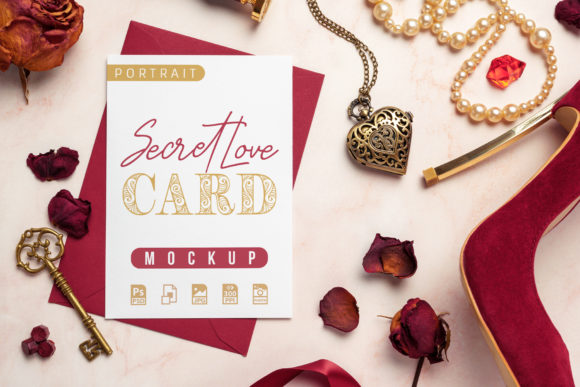
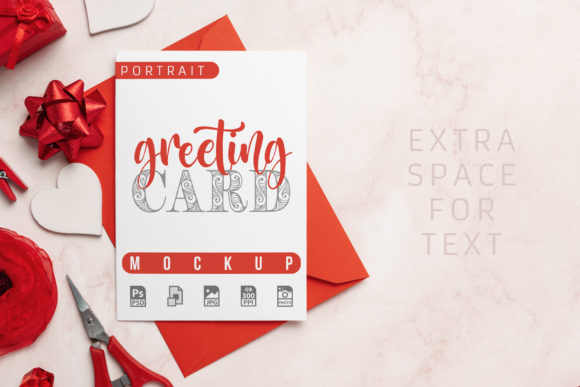
A Greeting Card Mockup with Copy Space is a pre-designed digital template—typically in PSD, Figma, or Sketch format—that simulates how a finished greeting card will look when printed or displayed. Unlike flat design files, it includes smart layers or editable text areas where users can insert custom copy, logos, or imagery without altering the underlying structure. Its core value lies in bridging concept and presentation: it allows creators to visualize messaging within realistic physical context before production begins.
Why This Type of Mockup Matters for Professional Communication
Greeting cards remain a high-impact medium for personal connection—even in digital-first environments. Brands use them for holiday outreach, customer appreciation, milestone announcements, and donor recognition. Educators send them to families; small studios include them in client gift packages; freelancers embed them in pitch decks as tangible examples of print-ready work. A Greeting Card Mockup with Copy Space supports these uses by delivering fidelity and speed: it shows typography at scale, reveals how margins and bleed interact with real-world dimensions, and helps stakeholders assess tone before committing to print runs or vendor approvals.
Key Characteristics That Define Quality
Not all mockups perform equally. A well-built Greeting Card Mockup with Copy Space typically features:
- Non-destructive layer organization—text layers are separate from background textures, shadows, and lighting effects, allowing edits without flattening or reworking;
- Realistic material simulation—subtle paper grain, soft shadowing, gentle curvature, or slight tilt that avoids sterile “floating rectangle” aesthetics;
- Accurate dimensional ratios—standard sizes like 5×7 inches (folded), A6, or square formats rendered at true scale, including proper bleed and safe zones;
- Consistent color handling—CMYK or sRGB profiles clearly documented, with embedded proofing notes for print vs. screen use;
- Cross-platform compatibility—tested across recent versions of Photoshop, Figma, or Affinity Photo, with fallback instructions where needed.
Mockups lacking these traits often require time-consuming fixes—rebuilding layers, adjusting perspective manually, or guessing safe margins—which undermines their efficiency benefit.
Practical Use Across Real Workflows
In practice, a Greeting Card Mockup with Copy Space functions most effectively when integrated into defined stages of a project. For marketers preparing Q4 campaigns, it serves as a rapid validation tool: inserting taglines and brand colors into the mockup reveals whether hierarchy holds up at thumbnail size or whether contrast meets accessibility standards. For freelance designers quoting custom stationery, it becomes part of the proposal—showing clients exactly how their message will sit on textured matte stock, not just as a flat JPEG.
One educator recently used a tri-fold Greeting Card Mockup with Copy Space to prototype parent communication kits for back-to-school season. She replaced placeholder text with bullet-point updates, adjusted font weight to improve readability for older caregivers, and exported multiple variants to test layout clarity during staff review. The mockup didn’t replace copywriting—but it exposed structural issues early, avoiding last-minute layout shifts after printing had been scheduled.
Who Benefits Most—and When It Falls Short
Professionals who regularly produce branded physical deliverables gain the clearest ROI. Small business owners launching seasonal offers, publishers building author welcome kits, HR teams designing onboarding materials—all benefit from seeing content in situ. The mockup reduces reliance on mental translation between spreadsheet copy and final output.
However, it’s less useful in contexts where physical form is secondary. If your goal is purely social media promotion or email preview, a web-based card generator or Canva template may be faster. Similarly, if your project demands extensive customization—like die-cut windows, foil stamping, or multi-layer embossing—a static mockup won’t simulate those tactile elements accurately. It reflects surface-level presentation, not production complexity.
Also worth noting: free or low-cost mockups often skimp on flexibility. Some lock text layers, embed rasterized shadows, or omit bleed guides entirely. While serviceable for quick drafts, they become bottlenecks when revisions pile up or when clients request alternate versions (e.g., bilingual layouts or accessibility-compliant font sizing). Investing in a well-documented, professionally structured Greeting Card Mockup with Copy Space pays off most when consistency and iteration are expected.
Usability and Long-Term Value Considerations
Usability hinges on predictability—not novelty. A reliable Greeting Card Mockup with Copy Space behaves the same way across projects: text resizes proportionally, drop shadows update automatically, and export presets match common delivery specs (e.g., PDF/X-1a for printers, PNG with transparency for web previews). Over time, users build muscle memory around its behavior, reducing setup time per use.
Long-term value also depends on scalability. Does the file support multiple orientations? Can it adapt to both portrait and landscape greetings without rebuilding the entire composition? Are alternate colorways pre-built as layer groups? These details determine whether the asset remains relevant across holidays, product launches, and audience segments—or gets archived after one campaign.
Making It Fit Your Needs
Before adopting any Greeting Card Mockup with Copy Space, align it with your actual workflow constraints. Ask:
- What software do you use daily—and does the mockup support it without plugins or workarounds?
- How many variants do you typically produce per campaign? If you need 10+ language versions, prioritize mockups with layered text boxes rather than merged type layers.
- Who approves your work? If internal stakeholders expect print-ready PDFs with crop marks, verify the mockup includes those guides—or plan to add them manually.
- Do you handle production in-house or outsource? If working with external printers, choose mockups that follow industry-standard naming conventions (e.g., “Card_Front_CMYK.psd”) and include basic preflight notes.
Finally, treat the mockup as a tool—not a substitute. It won’t write your message, select appropriate imagery, or advise on cultural nuance in holiday phrasing. But when used deliberately, it sharpens decision-making, improves stakeholder alignment, and reduces costly missteps between design and delivery.
For professionals balancing speed, polish, and practicality, a thoughtfully built Greeting Card Mockup with Copy Space earns its place—not as a decorative flourish, but as a functional component in a disciplined creative process.